To open an application saved locally, do the following:
Important: You must have an application saved to your local drive and the answers to your security questions before you can open your application.
| Step | Action |
| 1 |
Navigate to the DS-160 page. The page below is displayed.
|
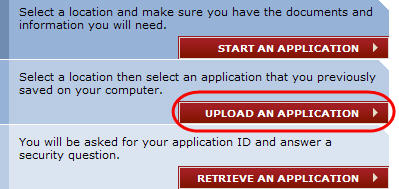
| 2 | Select your location under the Get Started section. |
| 3 |
Click the Upload a Previous Application button.
|
| 4 |
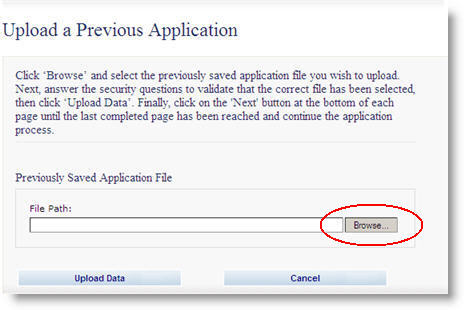
You will be taken to the Upload a Previous Application page. Click the Browse button.
|
| 5 |
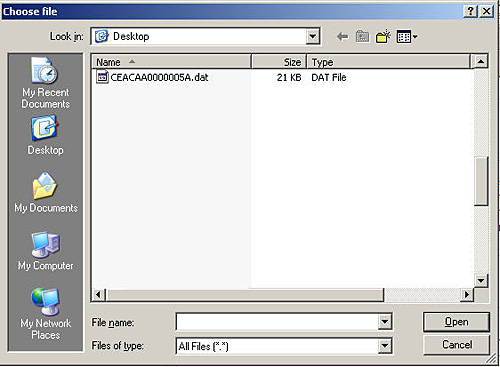
The Choose file window is displayed. Navigate to the location where your application was saved and highlight the entry.
|
| 6 |
Click the Open button. The application will upload the file.
|
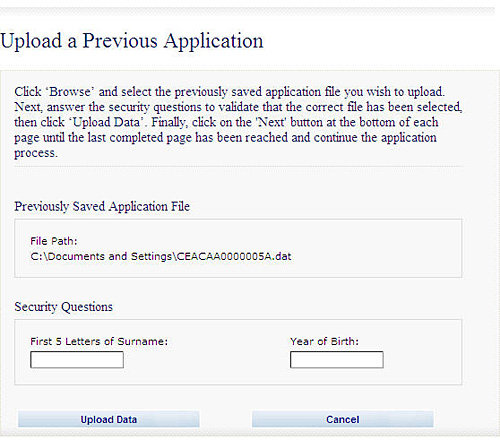
| 7 | Enter the answers to your security questions. |
| 8 |
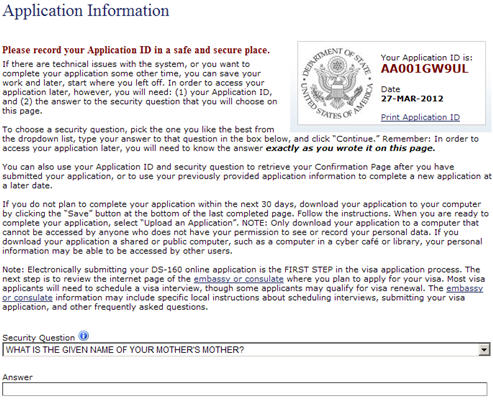
Click the Upload Data button. The Application Information page is displayed.
|
| 9 | Click the drop-down arrow and choose the security question that you selected when you originally started the application. |
| 10 | Enter the answer. |
| 11 | Click the Continue button. You will be taken to the application and your saved information will be displayed. |